Desktop 1.6.3
Give AI the right chapters and story notes
Reference a scene, character notes, and a voice guide in your message, then check the reply against those sources before requesting an edit.
Updated
On this page
Choose the material for one question
When you ask about a scene, the draft shows what happens, the character notes explain who is involved, and the voice guide describes how you want it written. Reference those files in the message so the request points to the right material.
This guide uses The Harbor Ledger sample workspace. Unzip it and open the folder containing Manuscript, Story Bible, and Planning, as shown in Quick start. Sign in and choose an available model before sending the AI request. See credits and usage if the app asks for an allowance.
Use these three files:
| File | Role in this request |
|---|---|
Manuscript/07 - Rainy Harbor.aifc |
The scene you want to examine. |
Story Bible/Characters/Mara Venn.aifc |
Mara's habits, relationships, and knowledge at this point in the story. |
Planning/Voice Guide.aifc |
Point of view, emotional detail, dialogue, and revision boundaries. |
Keep this first exercise focused on one paragraph. You can add a timeline or another chapter when a later question needs it.
Add files to the message
Open the scene in the editor and find AI Chat. Opening a document tab helps you read it; use the message's reference controls to make your chosen material explicit.
- Select the + button above the message field. Its tooltip is Add to this message.
- Choose Reference files.
- In Search by name or relative path, enter Rainy Harbor and select the chapter. The selected result gains a check mark.
- Replace the search text with Mara Venn, select the character file, then repeat with Voice Guide.
- Click outside the panel to return to your message.
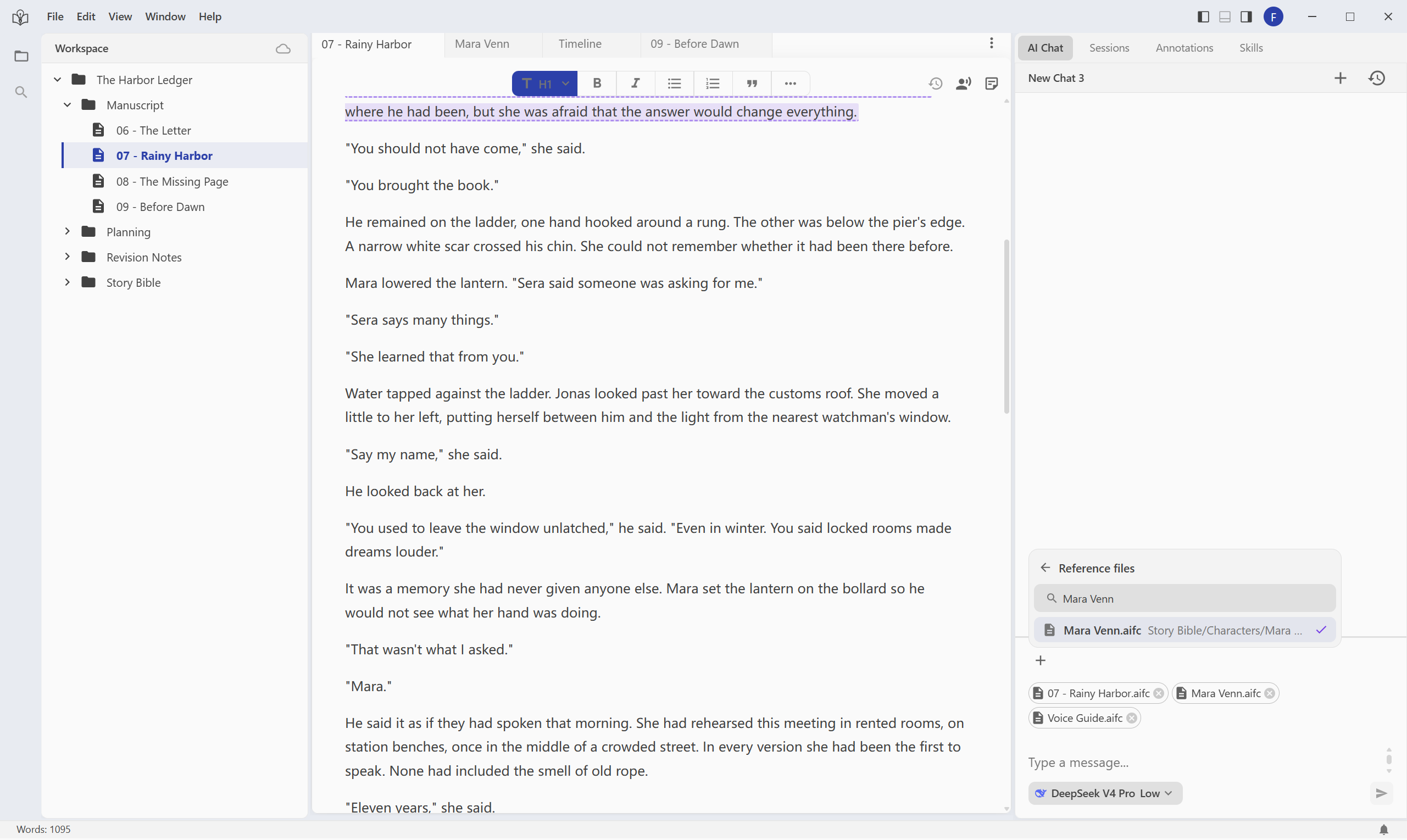
Screenshots use the English interface. Click any screenshot to view the full window.
Check the selected files before sending
The three file labels should appear above the message field. Check the names; hover over a label to see its path when similarly named files exist in different folders. Selecting the same file again does not add a second copy.
If you picked the wrong file, use the × on its label, then add the intended file through + → Reference files. Removing a reference from the message leaves the workspace file in place.
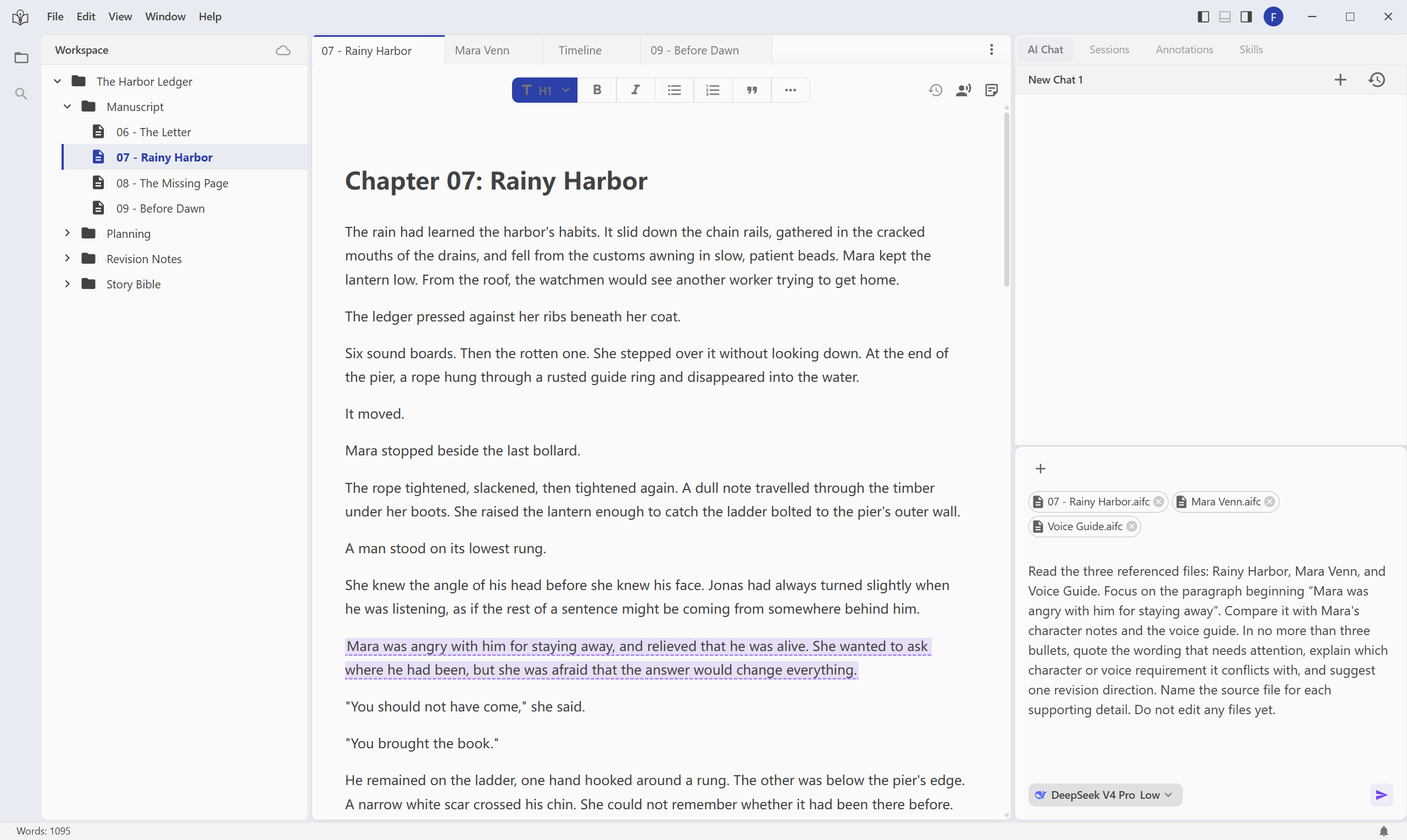
The labels belong to this message. Check the selection again for a new request, especially when you switch scenes or start another conversation. Removing a label from an unsent draft does not remove material from messages you already sent.
Ask for a judgment before an edit
Paste this request into the message field, with all three files selected, then use the send button:
Read the three referenced files: Rainy Harbor, Mara Venn, and Voice Guide. Focus on the paragraph beginning “Mara was angry with him for staying away”. Compare it with Mara's character notes and the voice guide. In no more than three bullets, quote the wording that needs attention, explain which character or voice requirement it conflicts with, and suggest one revision direction. Name the source file for each supporting detail. Do not edit any files yet.
This gives AI a passage, a question, supporting material, and a clear instruction to discuss first. File references identify the material; the message still needs to explain what you want done with it.
Check the reply against the sources
Read the reply alongside the three files. AI replies vary; check the evidence rather than expecting a fixed answer:
- The passage: the quoted wording should come from Chapter 07, not an invented scene or another chapter.
- The character: Mara's notes describe precise dialogue and restrained reactions. A suggestion should fit those notes and preserve what she knows at the pier.
- The voice: the guide asks for a chosen action before an emotional label. Look for an explanation of how that applies to the quoted paragraph.
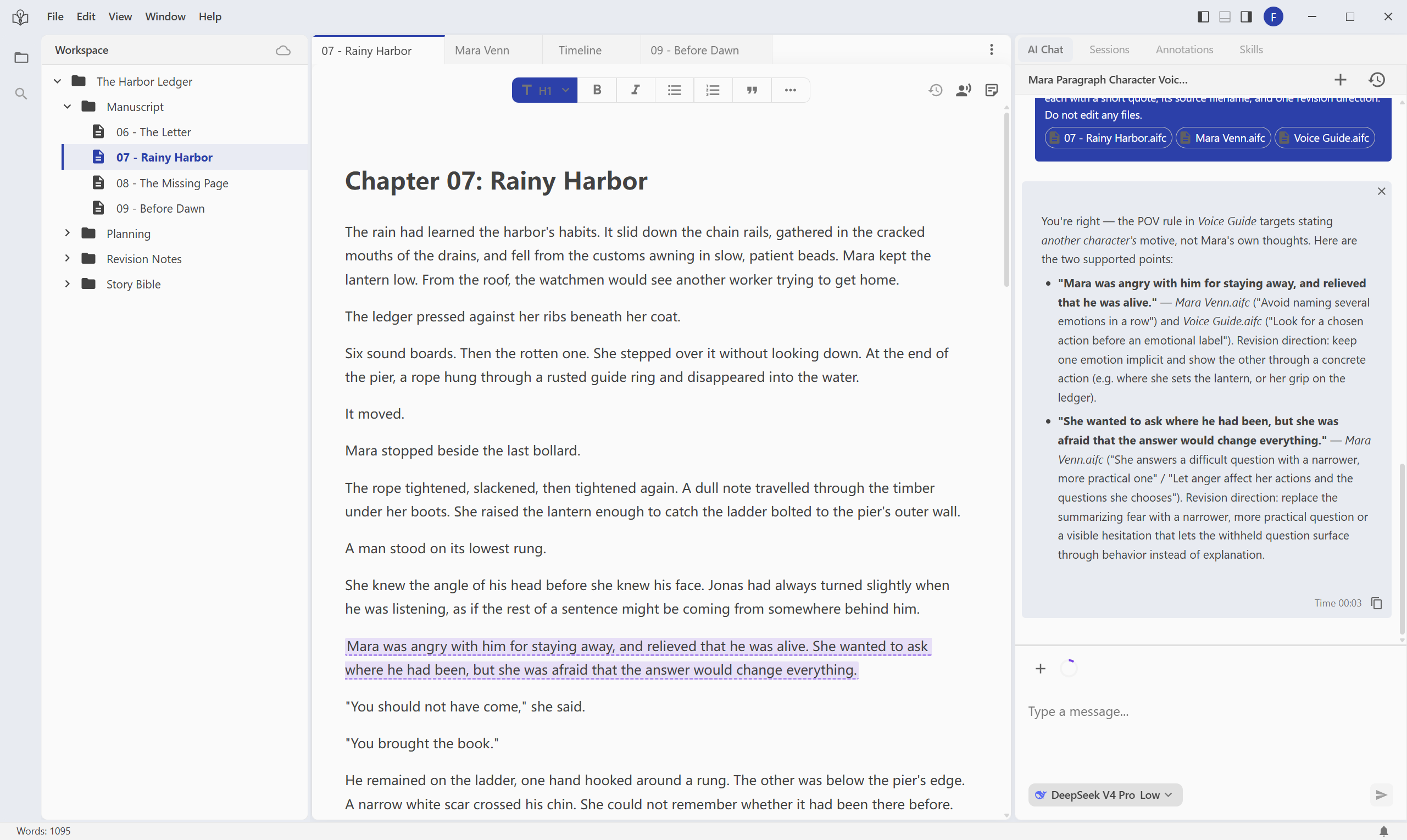
This example reply follows a clarification about the point-of-view rule.
A correct quotation can still be misapplied. For example, the rule against stating another character's motive as fact does not forbid Mara's own thoughts. If the reply confuses those cases, clarify the rule and ask AI to reconsider.
If the reply uses the wrong source, correct the file or passage before moving on. For example: “Use Chapter 07, not Chapter 08. Mara has not opened the ledger at this point. Reconsider the suggestion using her character notes; do not edit yet.”
Once the diagnosis makes sense, a follow-up can request a limited edit:
Revise only the paragraph beginning “Mara was angry with him for staying away”. Follow Mara's character notes and the voice guide. Replace the emotional explanation with one restrained action in two or three sentences. Preserve the surrounding paragraphs, relationships, and what Mara knows. Do not explain why Jonas disappeared.
Check the relevant references again before sending. Then follow annotations and revision review to inspect the changes and choose what to keep.
When something looks different
The file does not appear in search. Check that it belongs to the current workspace. Search for a shorter name or part of its relative path. A document elsewhere on your computer must first be brought into the workspace; see import drafts and reference material.
A selected file says “unavailable”. It may have been renamed, moved, or removed. Remove the old reference from the draft and select the current file again.
Do references limit AI to editing only those files? They identify relevant material; they are not an editing boundary. State which document or paragraph may change, and what must stay unchanged.
Should I select every chapter? Start with what the question needs. Add adjacent chapters, a timeline, or another character's notes when they provide necessary evidence.
What is the difference between a file and a skill in the + menu? A file supplies story material or notes. A skill provides reusable task instructions. This exercise uses three files, including the ordinary Voice Guide document.
You have completed the exercise when the message shows the intended references and the reply connects an actual passage to a specific requirement in your notes. Use editor basics to continue working between the scene and its supporting documents.