FEATURES · A WORKSPACE FOR FICTION
Bring your story together.Keep the final say.
Write with your chapters, characters, and notes close at hand. Work with AI in the draft, review its changes, and keep shaping the story in your own voice.
01Workspace
A place for the whole work.
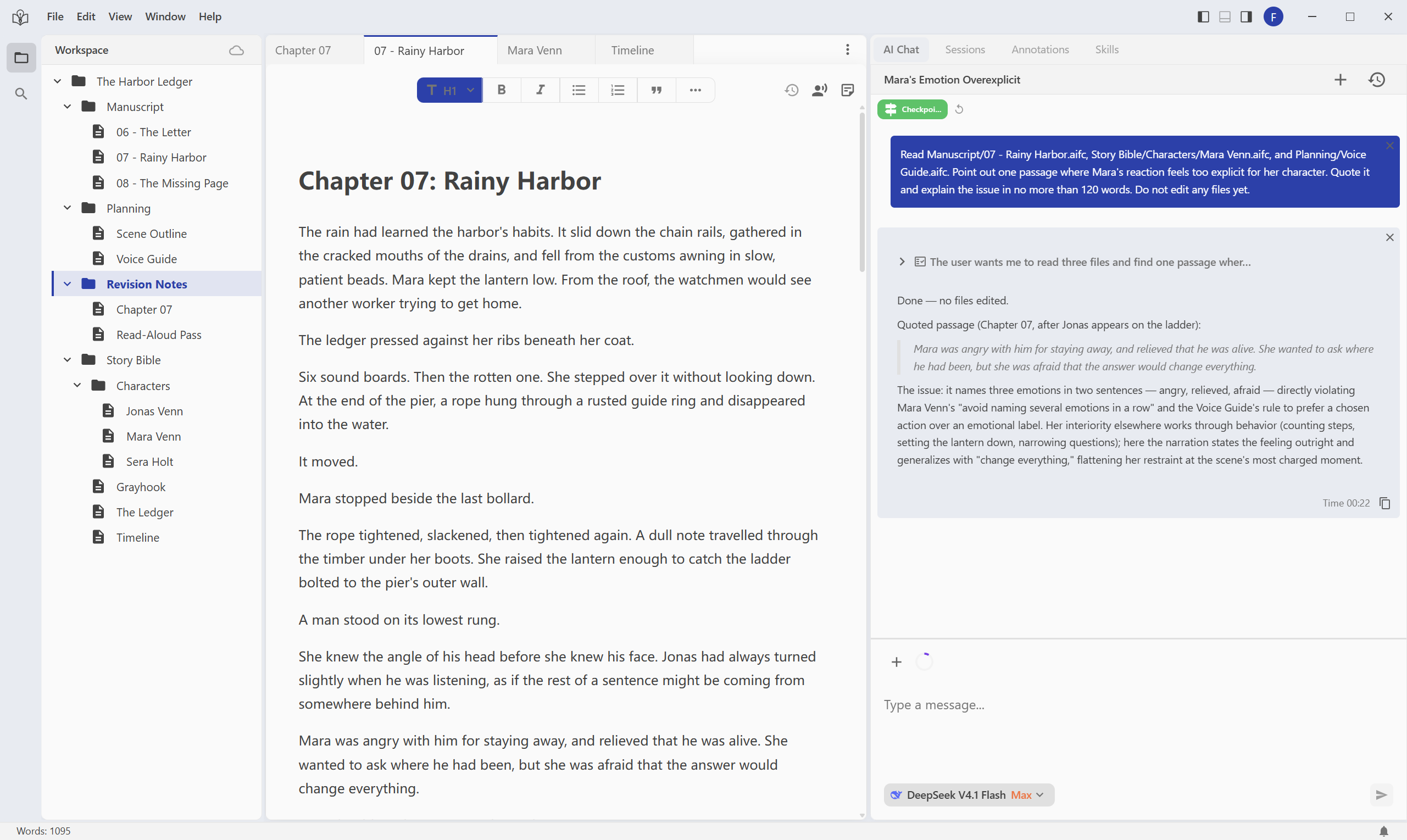
Keep chapters, character notes, worldbuilding, and research together in a writing workspace. Bring in an existing draft and pick up where you left off.
- Organize the work with files and folders.
- Import existing material from local files or folders, web pages, Notion, and Google Docs.
IN THE SAME STORY
Keep the rainy harbor chapter beside Mara’s character notes and the story’s timeline.
 View full-size screenshot
02Story context
Give AI the story behind the scene.
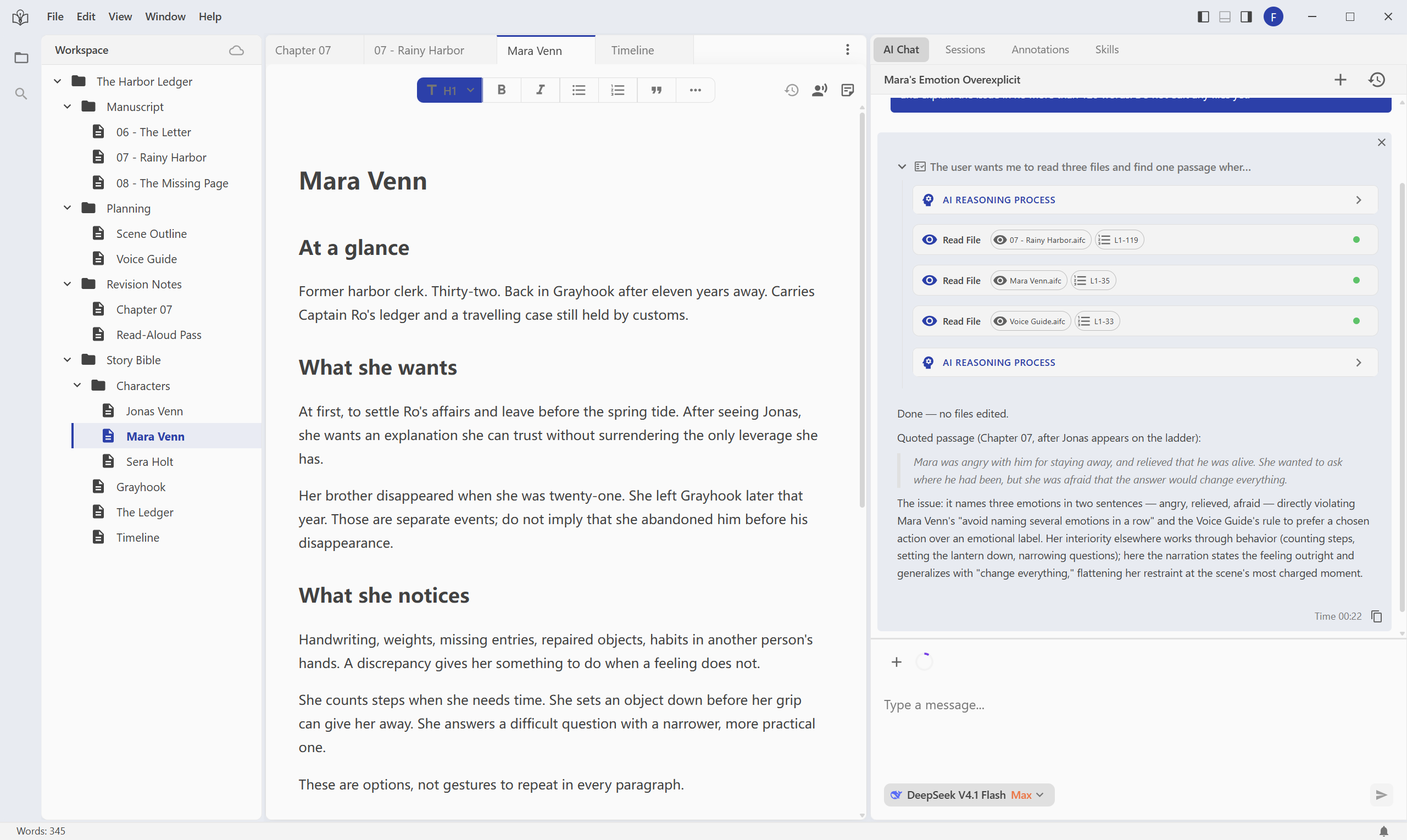
Ask the writing agent to consult relevant chapters and notes as it works. Use your project’s material to discuss a character choice, examine a scene, or plan a revision.
- Bring character details and earlier events into the conversation.
- Discuss what needs to change before requesting a rewrite.
IN THE SAME STORY
“Read Mara’s character notes and this chapter. Where does her reaction to Jonas feel out of character?”
 View full-size screenshot
FROM DIRECTION TO DECISION
One scene. A revision you can judge.
Mara meets her missing brother in the rain. The scene needs a more restrained reaction. Give the AI a precise direction, then decide how much of its suggestion belongs in the story.
- 1Annotate the passage
- 2Ask AI for a revision
- 3Review and decide
03Annotations
Put your direction beside the line.
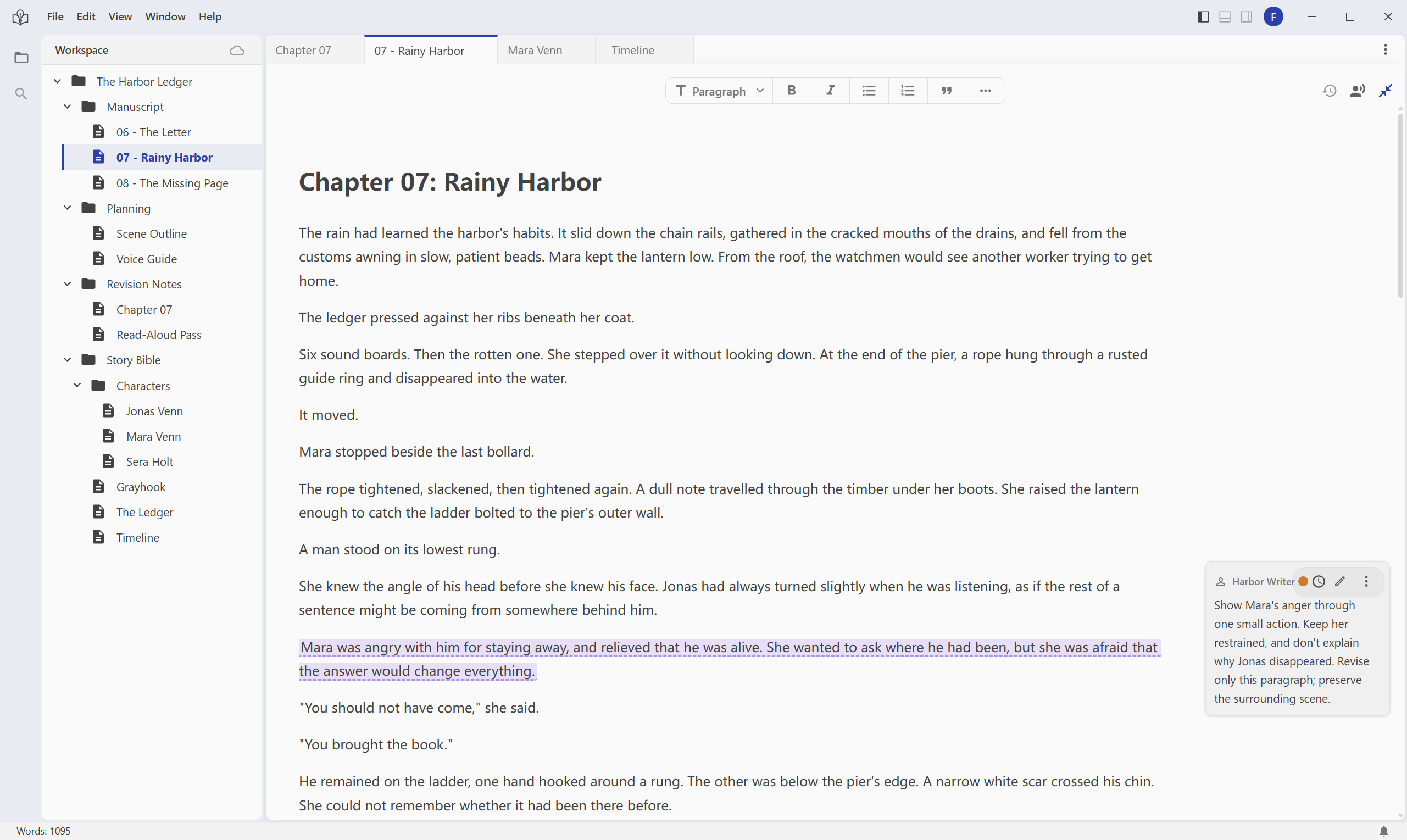
Attach a note to the passage you want to work on. Explain what feels wrong, what you want to achieve, and what the AI should preserve.
- Tie a revision request to a specific passage.
- Set boundaries for voice, pacing, and what the reader should know.
IN THE SAME STORY
“Show Mara’s anger through a small action. Keep her restrained, and don’t explain why Jonas disappeared.”
 View full-size screenshot
04Revision review
See the change. Decide what stays.
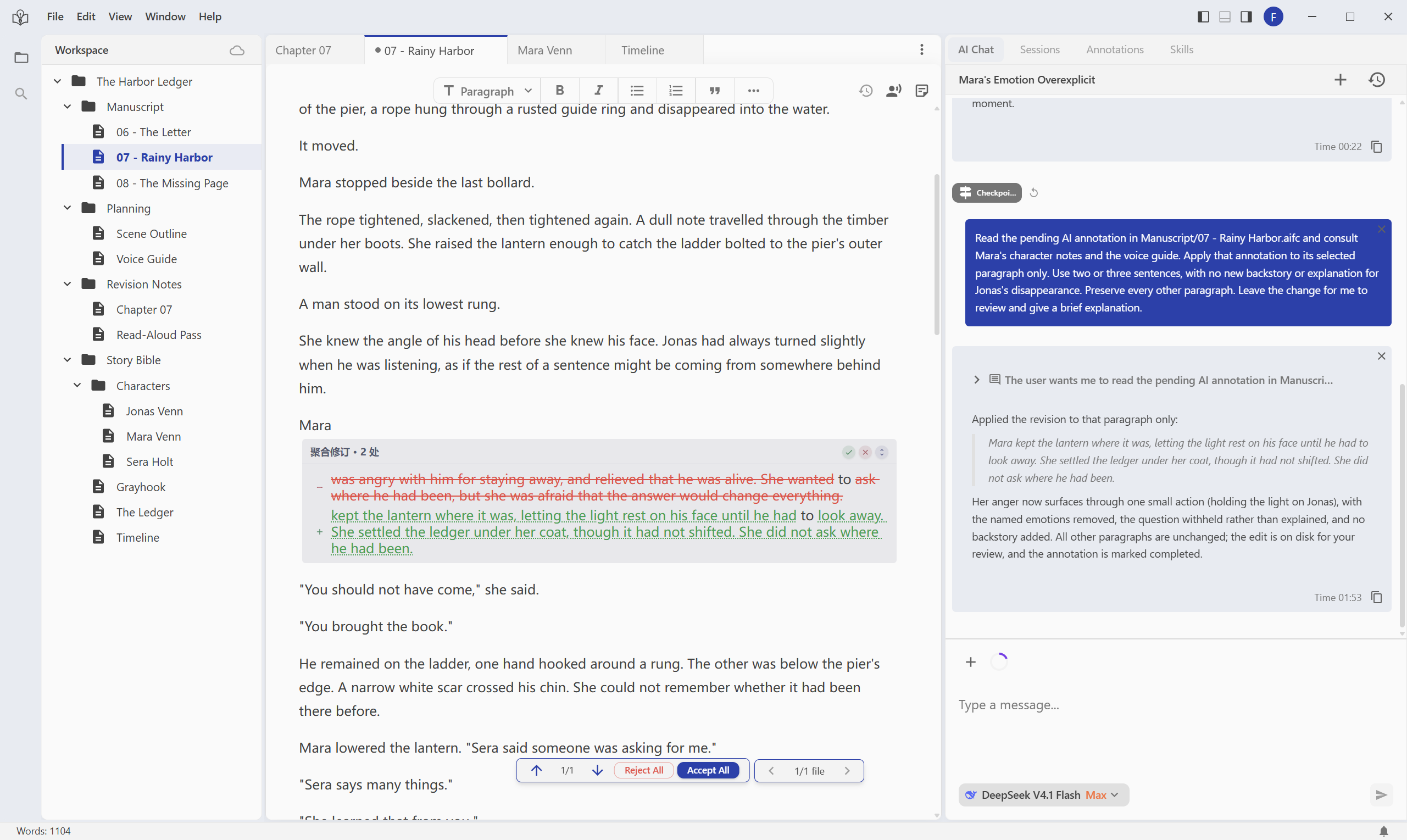
Ghost Revision presents AI edits as visible changes for you to review. Accept what fits, reject what drifts, or edit the wording yourself before confirming it.
- Compare the proposed wording with the original passage.
- Accept or reject changes while keeping your own judgment in the process.
IN THE SAME STORY
Keep the gesture that reveals Mara’s anger. Reject the explanation that gives away Jonas’s secret too early.
 View full-size screenshot
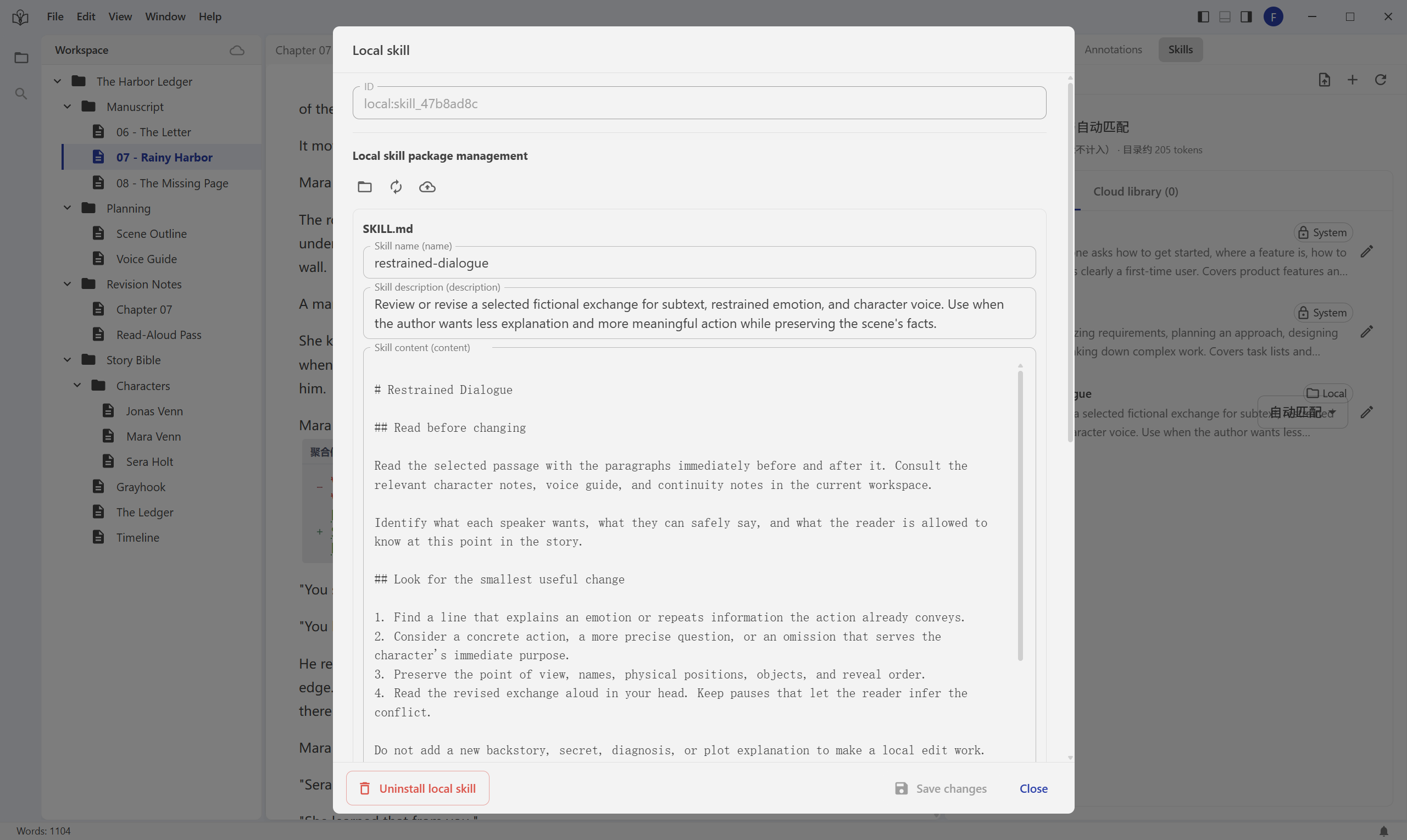
05Personal skills
Keep the methods that work for you.
Turn a recurring writing or review process into a reusable skill. Give the agent your own instructions for the next dialogue pass, scene review, or style check.
- Define the steps and constraints you want the agent to follow.
- Reuse a method across chapters and refine it as your practice develops.
IN THE SAME STORY
A “restrained dialogue” skill: check the subtext, cut unnecessary explanation, and preserve what each character leaves unsaid.
 View full-size screenshot
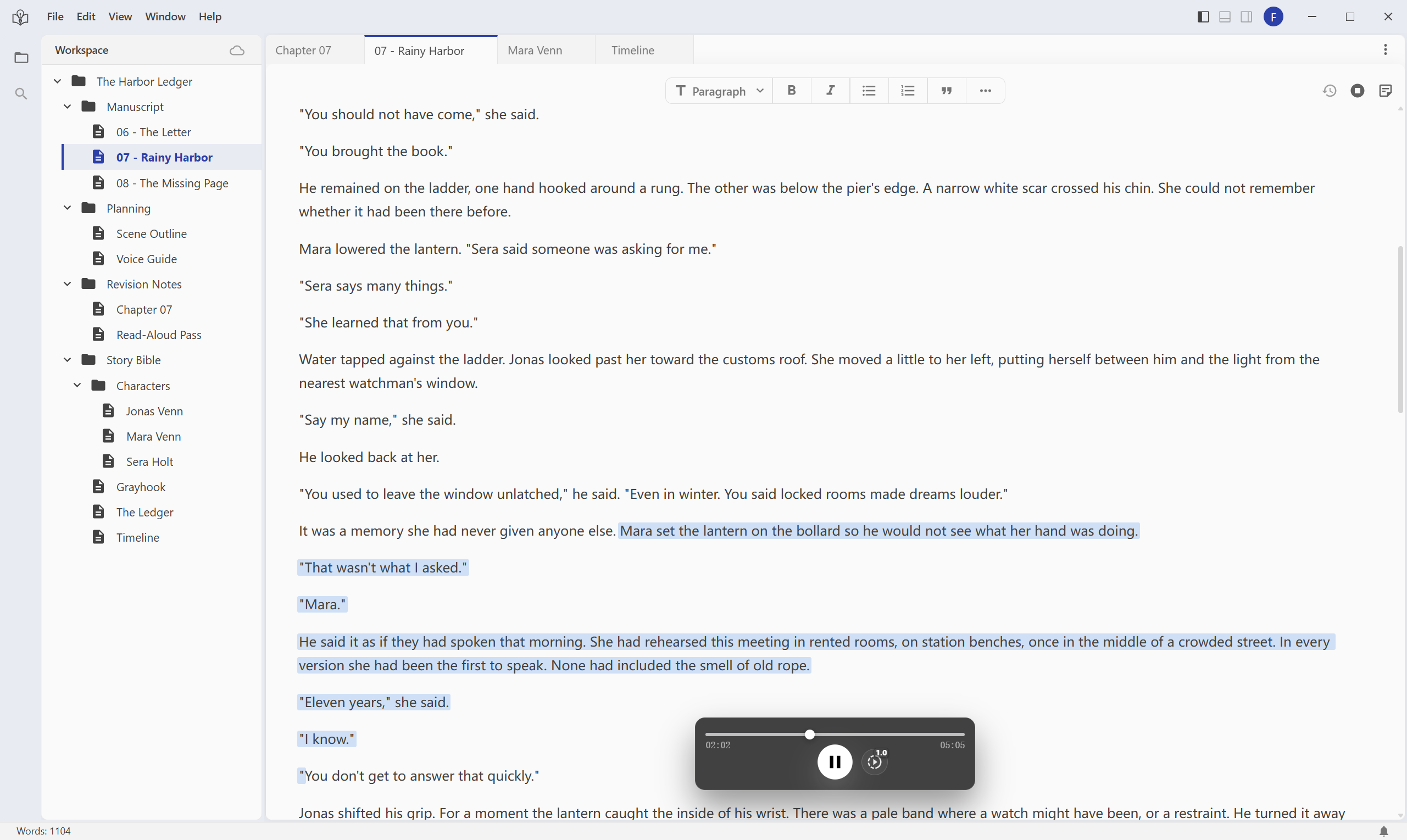
06Read aloud
Hear what the page doesn’t reveal.
Listen to the draft with text-to-speech as part of your review. Hear where dialogue feels stiff, a sentence runs too long, or the scene loses its rhythm.
- Listen while keeping the text in view.
- Use what you hear to guide the next editing pass.
IN THE SAME STORY
Listen to Mara and Jonas’s exchange. Does the pause hold the tension, or does the next line explain too much?
 View full-size screenshot
Start with a story you already care about.
Bring in a chapter, leave one annotation, and review what changes.